
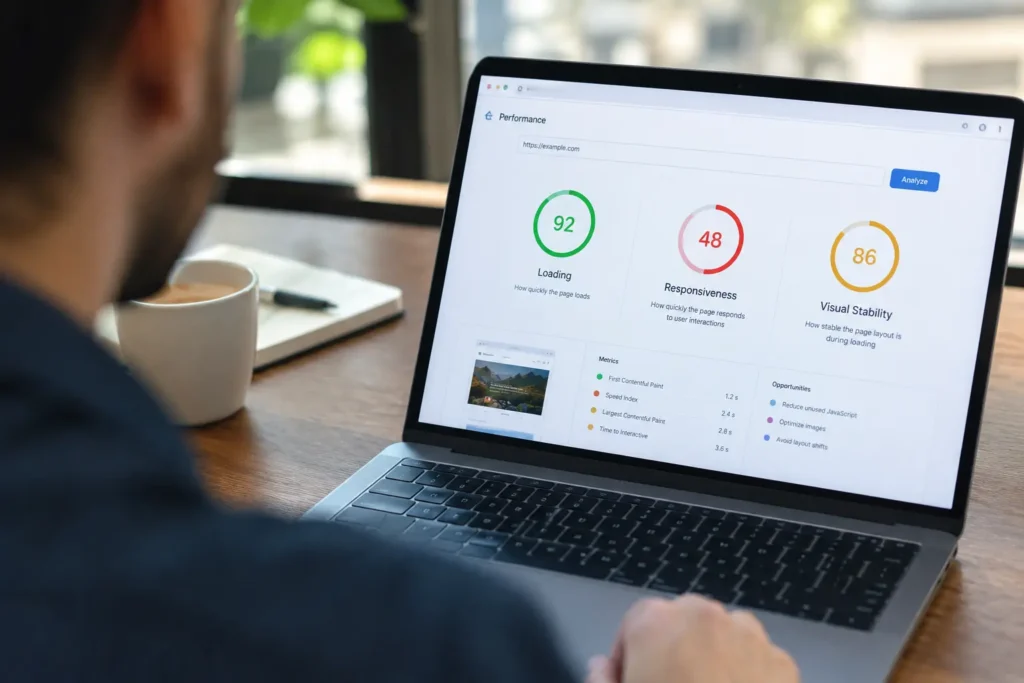
Page speed is one of Google’s confirmed ranking factors, and it’s important enough that I treat it as a first-pass check on nearly every technical SEO audit. It’s not the single biggest lever you have; content quality and relevance still outweigh it, but a slow site actively works against everything else you’re doing: it hurts your Core Web Vitals scores, increases bounce rate, wastes crawl budget, and quietly costs conversions on every visitor who doesn’t wait around. Below, I’ll walk through exactly how much page speed matters, how it’s measured, and what actually moves the needle.
Site Speed vs. Page Speed: A Quick Distinction
These terms get used interchangeably, but Google treats them differently. Page speed is how long one specific page takes to load. Site speed is a broader average across your whole domain. You can have a fast homepage and a painfully slow product page at the same time, and Google evaluates each page on its own, not just your site as a whole. That’s exactly why the 15-point technical SEO checklist I wrote treats Core Web Vitals as a per-page concern, not a site-wide average you can fix once and forget.
How Much Does Page Speed Actually Affect SEO?

Google confirmed page speed as a ranking signal years ago, and it’s stayed active through every major update since, most directly through Core Web Vitals, the three metrics that make up Google’s Page Experience signals:
According to the HTTP Archive Web Almanac, only 48% of mobile origins and 56% of desktop origins passed all three Core Web Vitals together in 2025. Most sites are failing at least one:
| Desktop (all 3 passing) |
|
56% | ||
| Mobile (all 3 passing) |
|
48% | ||
| Mobile LCP pass rate |
|
62% | ||
| Mobile INP pass rate |
|
77% | ||
| Mobile CLS pass rate |
|
81% |
Source: HTTP Archive Web Almanac, 2025.
LCP is consistently the metric most sites fail, and in my experience, unoptimized hero images and render-blocking scripts are almost always the cause.
The Real Business Impact of a Slow Page

Page speed’s SEO value isn’t just about rankings; it directly affects whether visitors stick around to convert at all.
(Sources: WP Rocket performance research; web.dev case study repository)
That last row is worth sitting with: a tenth of a second, not a full second, moved conversions by 8.4%. Speed isn’t a minor technical nicety here; it’s a direct revenue lever, and it compounds with everything else on your site. Faster pages get crawled more efficiently, rank better, and convert more of the traffic you’re already earning through SEO.
How Page Speed Affects Crawling and Mobile Performance
Google has limited resources for crawling any given site. Slow-loading pages take longer to process, meaning fewer URLs get crawled per session, and new or updated content gets discovered and indexed more slowly as a result. This matters more than most site owners assume, especially for larger sites publishing regularly.
Mobile compounds this further. Google has used the mobile version of your site as the primary basis for ranking since completing mobile-first indexing, and mobile devices now make up the majority of web traffic. A site that feels fast on a fiber connection and a new laptop can feel entirely different on a mid-range phone over mobile data, which is exactly why testing should always include mobile conditions specifically, not just a desktop check.
How Is Page Speed Measured?
Free tools like Google PageSpeed Insights and Lighthouse will surface these numbers directly, and both report on real Chrome user data (via CrUX), not just a synthetic lab test, which matters since a page can score well in a controlled test and still perform poorly for actual visitors on slower connections.
How to Improve Page Speed: A Practical Checklist

| ✓ | Compress and modernize images (WebP or AVIF instead of large PNGs/JPEGs) |
| ✓ | Minify CSS, JavaScript, and HTML to cut unnecessary file weight |
| ✓ | Remove unused code and scripts that aren’t actually needed on the page |
| ✓ | Enable browser caching so returning visitors don’t re-download the same assets |
| ✓ | Use a CDN to serve resources from servers physically closer to your visitors |
| ✓ | Lazy-load images and video below the fold instead of loading everything at once |
| ✓ | Reduce redirect chains; each hop adds real, avoidable delay |
| ✓ | Limit and optimize font loading, prioritizing only what’s needed for the initial view |
| ✓ | Improve hosting quality; a slow server response time undermines every other fix on this list |
| ✓ | Monitor Core Web Vitals regularly, not just once after a redesign |
FAQs
Is page speed a confirmed Google ranking factor?
Yes, it has been for years, formalized further through Core Web Vitals as part of Google’s Page Experience signals.
How fast should my website load?
Under 2.5 seconds for LCP is Google’s “good” threshold, though faster is always better for both users and competitive ranking.
Can I fix page speed myself?
Some of it- image compression and caching plugins- yes. Server-level fixes, code minification, and CDN setup usually benefit from a developer’s involvement, which is why we build performance in from the start on every web design and development project rather than retrofitting it later.
Final Thoughts
Page speed alone won’t guarantee a top ranking; content quality and relevance still matter more. But a slow site actively undermines every other SEO effort you’re making: worse Core Web Vitals scores, wasted crawl budget, higher bounce rates, and lower conversions on the traffic you’ve already earned. Testing regularly and fixing the fundamentals is one of the highest-leverage, lowest-cost things you can do for your site’s performance.
Want to know exactly how your site’s speed stacks up?
Our SEO & Digital Marketing team includes a full Core Web Vitals and speed review as part of every free strategy audit.